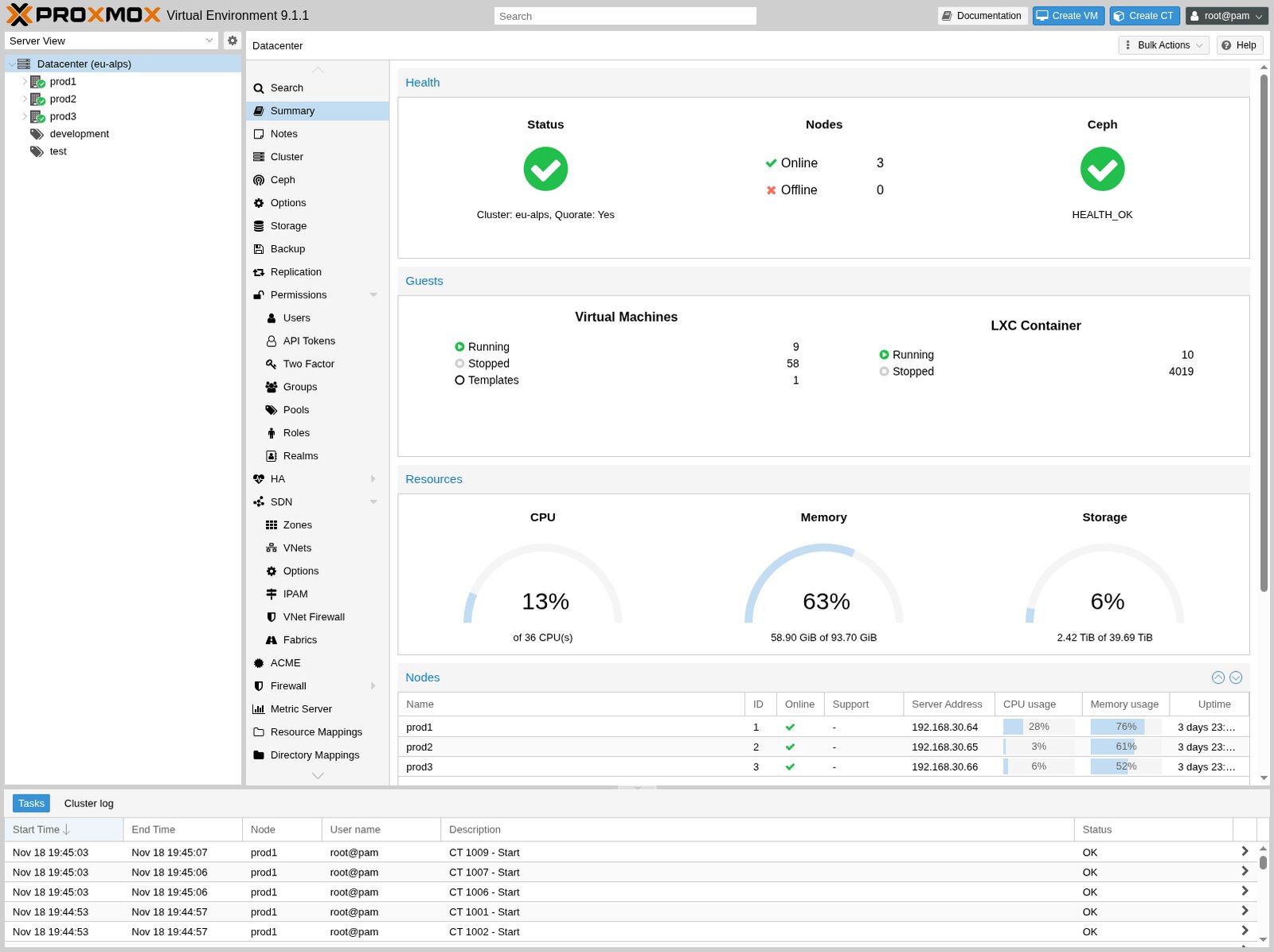
Proxmox VE is software that runs virtual machines and containers on a physical server. The browser panel shows nodes, CPU, RAM, disks and guests. You use it to build a private cloud: machines, templates, snapshots and moves between hosts, without VMware and without assembling everything by hand.
When it makes sense
You use Proxmox when a store, a database, a test environment, monitoring and an admin host should sit on a few servers. One node is enough for a trial. A cluster of three machines, or two plus an extra quorum vote, lets you move a machine to another host when one server needs downtime.
A template with cloud-init repeats the same image instead of installing the system every time. A snapshot rolls back a change on the same disk. Long-term copy is Proxmox Backup Server, covered in a separate post.
How to put it together
You install Proxmox from an ISO on a bare server. You set the hostname, a management address and a network bridge. The panel opens at the server address, port 8006. Add a named user and turn on two-factor login. Keep the root account for recovery, not for daily work.
You create the cluster in Datacenter, Cluster. Cluster traffic is better on a separate NIC or VLAN, not on the same path as the store. You join the second host with Join Cluster. In the panel both nodes should be online.
A local disk is enough for a test. In production, if the machine must move between hosts, you need shared storage. The first machine is installed from a Debian ISO. After install you turn it into a template and clone the next ones.
Containers fit light services. Magento and the database are better on full virtual machines. You turn on high availability only when storage is shared and the IP address moves with the machine.
Cluster operations: IT administration.
In short: Proxmox gives you a private cloud on your hardware. You start with one node. The cluster and the copy come in when the store depends on them.